Know when software you already shipped becomes vulnerable.
Keylinx Sentry keeps the SBOM of every application and container image you build and rescans it every day. When a new CVE hits a package you depend on, you hear about it, with what is affected, who fixes it and which version fixes it.
A clean scan at build time says nothing about next month.
Most vulnerabilities in your software are found after it was released, in packages you did not write.
New CVEs every day
Thousands of vulnerabilities are published each year. The software running in production today was scanned, if at all, the day it was built.
Hundreds of packages per image
A container image brings an operating system, a runtime and your dependencies. Most of them you never chose explicitly.
Long lists, no owner
A raw scanner report mixes base image noise with real application issues, and does not say who should act or whether a fix even exists.
Add one step to your pipeline. Sentry does the rest.
No agent to install and no access to your repositories or registries. Your pipeline generates the SBOM and uploads it with a project token.
Generate an SBOM
Your pipeline creates a CycloneDX or SPDX SBOM with Syft, from the built container image or from the source.
Upload it
One curl with a project token. Ready-made steps for Azure DevOps and GitHub Actions are in the portal.
Scanned right away
Sentry scans it with Grype against public vulnerability data and classifies every finding.
Rescanned every day
Every SBOM version you keep is checked again each day, so new CVEs in old builds show up too.
# After building the image: generate the SBOM and send it to Sentry
syft myregistry.azurecr.io/checkout-api:1.4.2 -o cyclonedx-json=bom.json
curl -sS -X POST "$SENTRY_URL/api/v1/projects/$PROJECT_ID/sboms?version=1.4.2&sbom=checkout-api" \
  -H "Authorization: Bearer $SENTRY_TOKEN" \
  -H "Content-Type: application/json" \
  --data-binary @bom.json
From a list of CVEs to a clear next step.
Daily rescans
Every kept SBOM version is scanned again every day against fresh vulnerability data. Scan history is grouped per run, so you can compare today with yesterday.
Where a finding comes from
Each finding is marked as base image OS, runtime, application or other, so you know whether to update the base image, the runtime or a package reference.
Fix tracking
See the version that fixes each finding, get told when a fix becomes available that was not there yesterday, and how long a known fix has been waiting.
Context to prioritise
- CVSS score and vector
- EPSS: likelihood of exploitation in the next 30 days
- CISA Known Exploited Vulnerabilities
- Weakness (CWE), aliases and references
Email that respects your inbox
Choose per project: an immediate email for new findings at the severity you choose, an email when a fix becomes available, a weekly summary, or a report when a new SBOM version has been scanned. The nightly rescan sends one email for all your projects, not one per SBOM.
SBOM viewer and licences
Browse every package in an SBOM with its version, origin and licence. Licences are grouped as permissive, weak copyleft or strong copyleft, with an optional lookup of missing licences for public packages.
Where your packages come from
See the source repository, OpenSSF Scorecard and country signals behind each open-source package, plus matches against the OFAC, UN and EU sanctions lists.
Not every CVE in your image is yours to fix.
A container image scan finds vulnerabilities in four places. Sentry tells them apart, so the right person gets the right task.
Operating system packages
openssl, glibc, zlib. Fixed by rebuilding on an updated base image.
The platform runtime
.NET, Node.js or Java shipped in the image. Fixed by moving to a newer runtime patch.
Your dependencies
NuGet, npm, Maven, PyPI packages your code references. Fixed by upgrading the package.
Anything else in the image
Tools and files copied in during the build. Fixed where they are added.
Built to fit how development teams already work.
Minutes to set up
Copy a pipeline step from the portal, add the project token as a secret, and the next build is monitored.
Your code stays with you
Sentry receives a list of packages and versions, not source code, and needs no access to your repositories or registries.
Less noise, clearer priorities
Most severe and actively exploited first. Filter on origin, on findings with a fix, or on what is new since the last scan.
Actionable answers
Each finding says which package, where in the image, which version fixes it, and what kind of change that means.
Shipped versions stay covered
Old releases still running somewhere keep being checked, so you can tell whether a new CVE affects them without rebuilding.
Works with standard formats
CycloneDX and SPDX JSON, from Syft or any other tool that produces them. Image and source SBOMs side by side.
Made for teams
Organisations with their own projects, members and roles. Sign in with Microsoft Entra ID; changes are kept in an audit log.
Privacy by default
Anything that would send package names to an outside service, such as the licence lookup, is off until your organisation turns it on.
Show your users what is in your software, like a nutrition label.
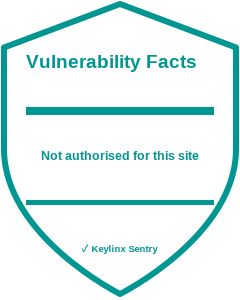
With Sentry Facts you put a Vulnerability Facts label on your site. It shows the open vulnerabilities of your product right now, loaded from Sentry and updated by every scan, so it never goes stale.
- Live: the counts change when a scan finds or resolves something.
- Verified: clicking the label opens a page on Sentry confirming that you are a member and that the product on that site is actively scanned.
- Honest by design: the label is only shown for software Sentry really monitors.
- Your choice: product and environment, which SBOMs count, colours, and the level: every open vulnerability, or only those with a fix available, of all severities or only Critical and High.
Turn it on per project under Sentry Facts in the portal, and copy the embed code into your page.

Free to start. Pay only for what you add.
One project with up to 10 SBOMs is always free. Add projects or SBOMs when you need them.
Free
- 1 project
- Up to 10 SBOMs
- Daily rescans
- Email alerts and weekly summary
- Fix tracking, CVSS, EPSS and CISA data
- Every feature included
Additional project
- One more project
- 10 SBOMs included
- Its own pipeline tokens and email settings
Additional SBOMs
- 10 more SBOMs, for any project
- For a project that monitors many images or services
Prices per month, excluding VAT. See pricing details and examples
What Sentry is, and what it is not.
Sentry is
- Continuous monitoring of the third-party packages in your software, based on the SBOMs you upload.
- A clear overview of what to fix, where, and whether a fix exists.
- An early warning when new vulnerabilities are published for software you already run.
Sentry is not
- A code scanner: it does not look for bugs or secrets in your own code (SAST).
- An automatic fixer: it tells you what to upgrade; your team makes the change.
- Better than its input: findings are only as complete as the SBOM and the public vulnerability data behind the scan.
- Legal advice: licence categories help you spot what to check, they do not replace a review.
Start watching your software today.
One project with up to 10 SBOMs is free, for as long as you like. Questions, or want Sentry for your organisation? Email us.
Talk to us.
Questions about Sentry, a plan for your organisation, or help getting started: email us and a person at Keylinx answers.
Plans and pricing
More projects or SBOMs, invoicing, or Sentry for a larger organisation.
Email about plans →Help and questions
Setting up the pipeline step, reading the findings, or anything that does not work as expected.
Email for help →Or write directly to sentry@keylinx.se.